Framer · Design and build
Framer websites, designed and built by one team.
Fazed Digital designs and builds Framer websites from Iligan City, Philippines, for businesses in the USA, Australia and the Philippines. Launch pages, waitlists, CMS blogs and shop pages, designed for desktop, tablet and phone, then handed over so your team can edit them.
Built in Framer · 09
Our Framer builds. Open them, click around.
-
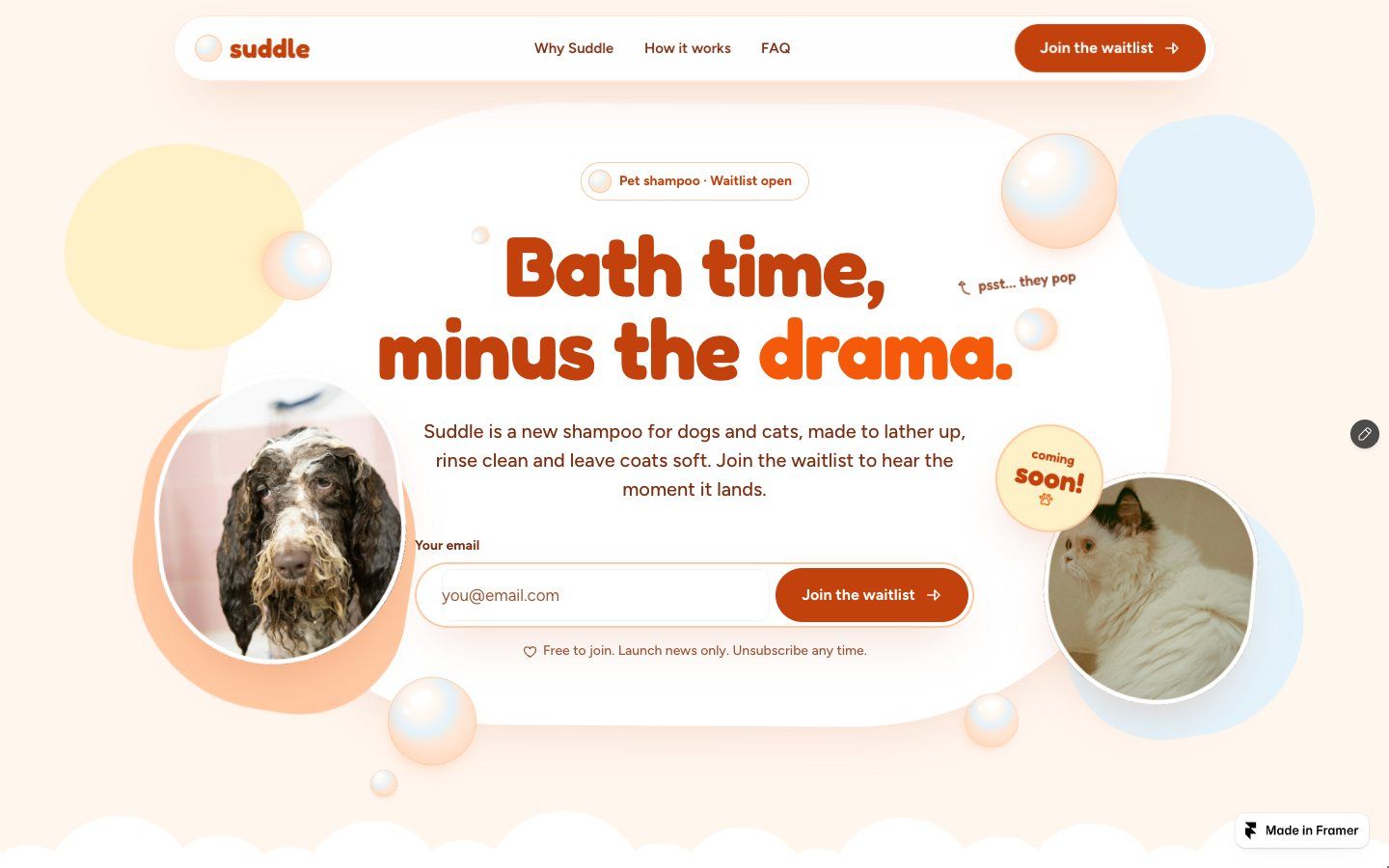
Suddle
“Bath time, minus the drama.”
The bubbly, playful version of a launch site for a new dog and cat shampoo: soap bubbles you can pop (they grow back), round pebble photos, a foam cloud hero and a waitlist form. The main site adds a Bath Tips blog on Framer CMS, a waitlist pop-up and a liquid shader.
- Concept site · fictional brand
- Poppable bubbles
- Framer components
- Waitlist forms
- Framer CMS blog
- Desktop · tablet · phone
-
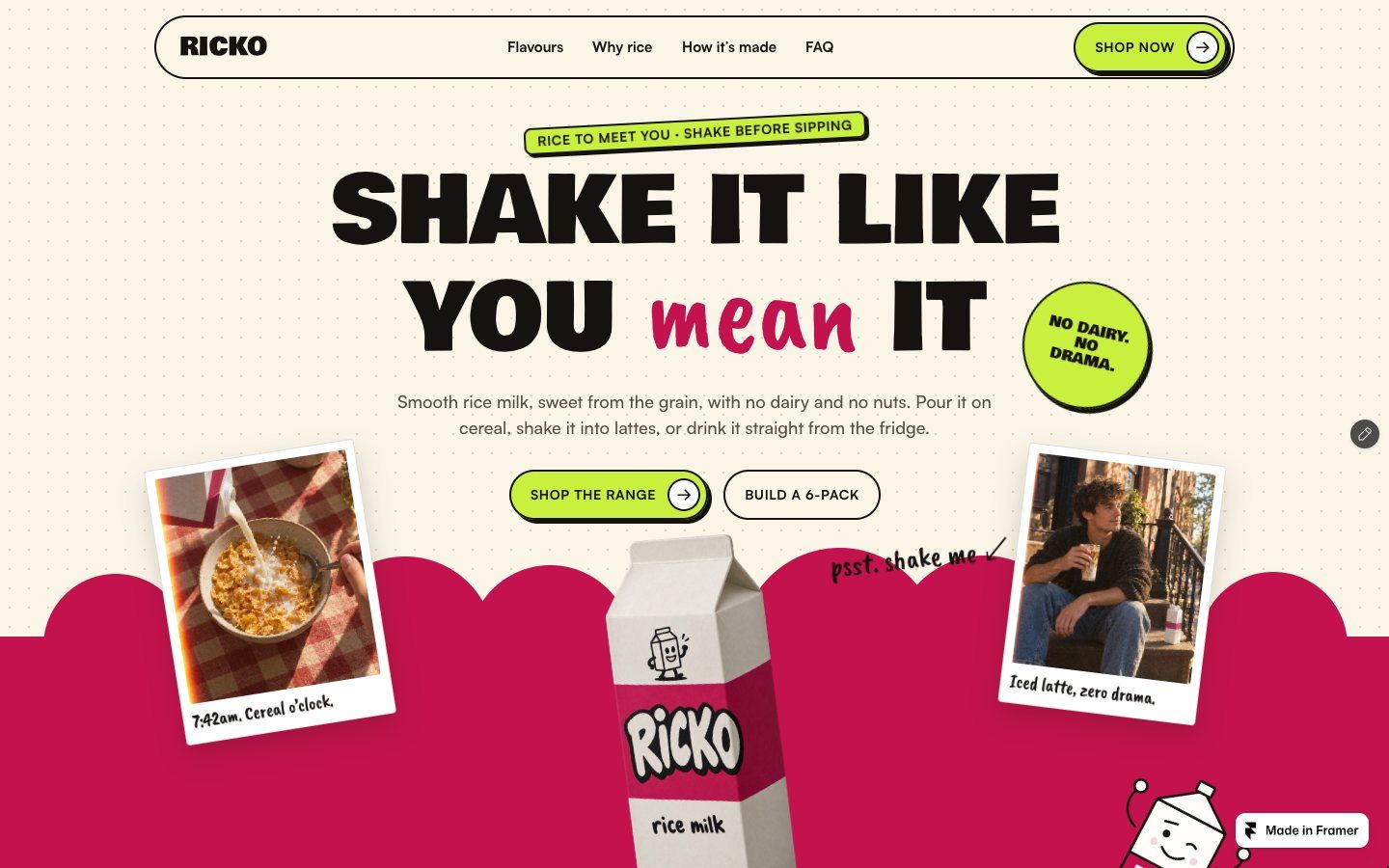
Ricko
“Shake it like you mean it.”
A shop page for a rice milk brand with a loud berry-and-lime look: a flavour range, add-to-cart pills, a drawn carton mascot, polaroid photos and a newsletter form. Built as reusable Framer components.
- Concept site · fictional brand
- Framer components
- Shop layout
- Code component
- Desktop · tablet · phone
-
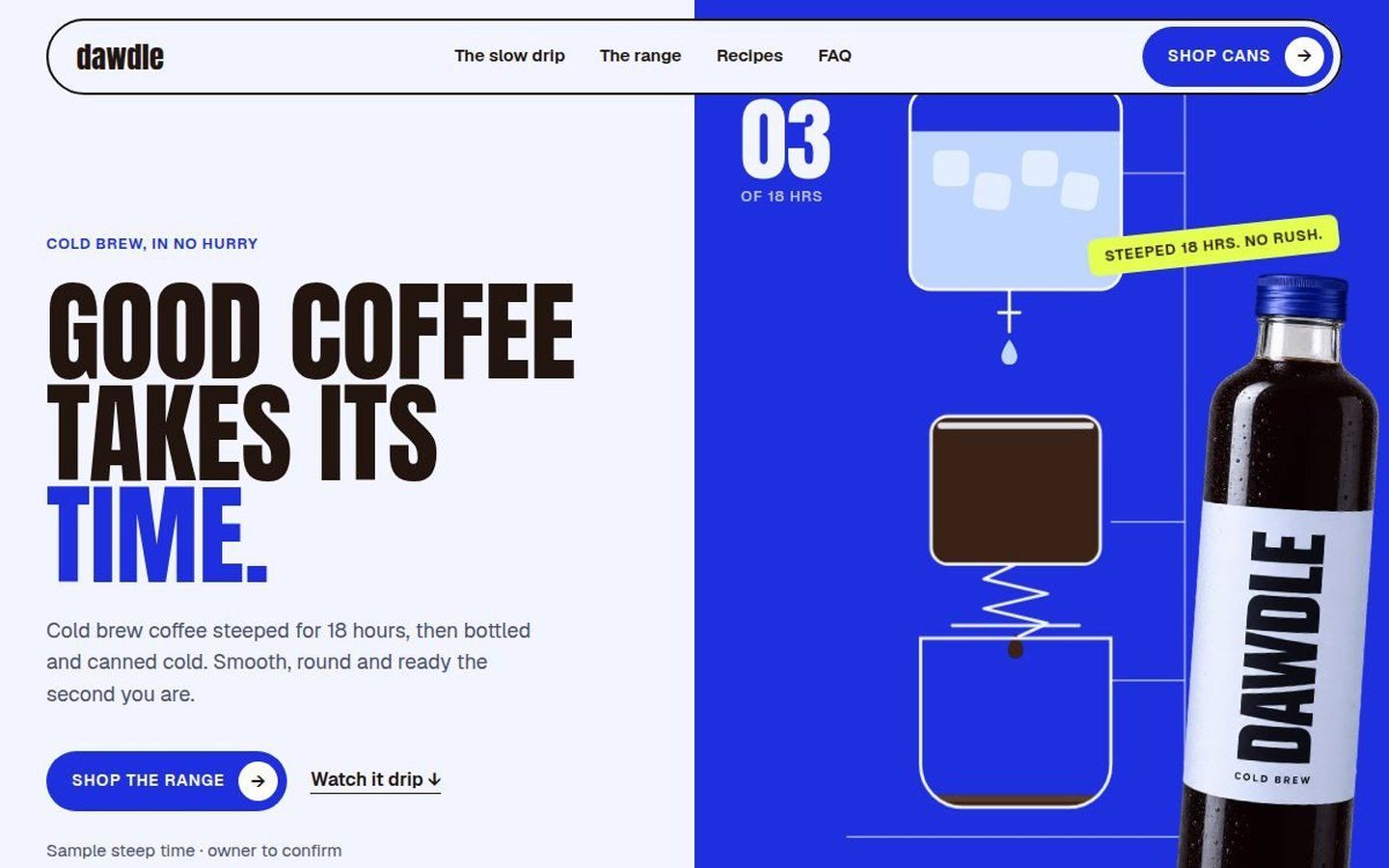
Dawdle “Good coffee takes its time.”
A cold brew shop page where a drawn drip tower counts the 18-hour steep, then a four-can range with add-to-cart pills, a subscribe toggle, recipes and FAQ.
- Concept site · fictional brand
- Code component
- Shop range
- Subscribe toggle
- Desktop · tablet · phone
-
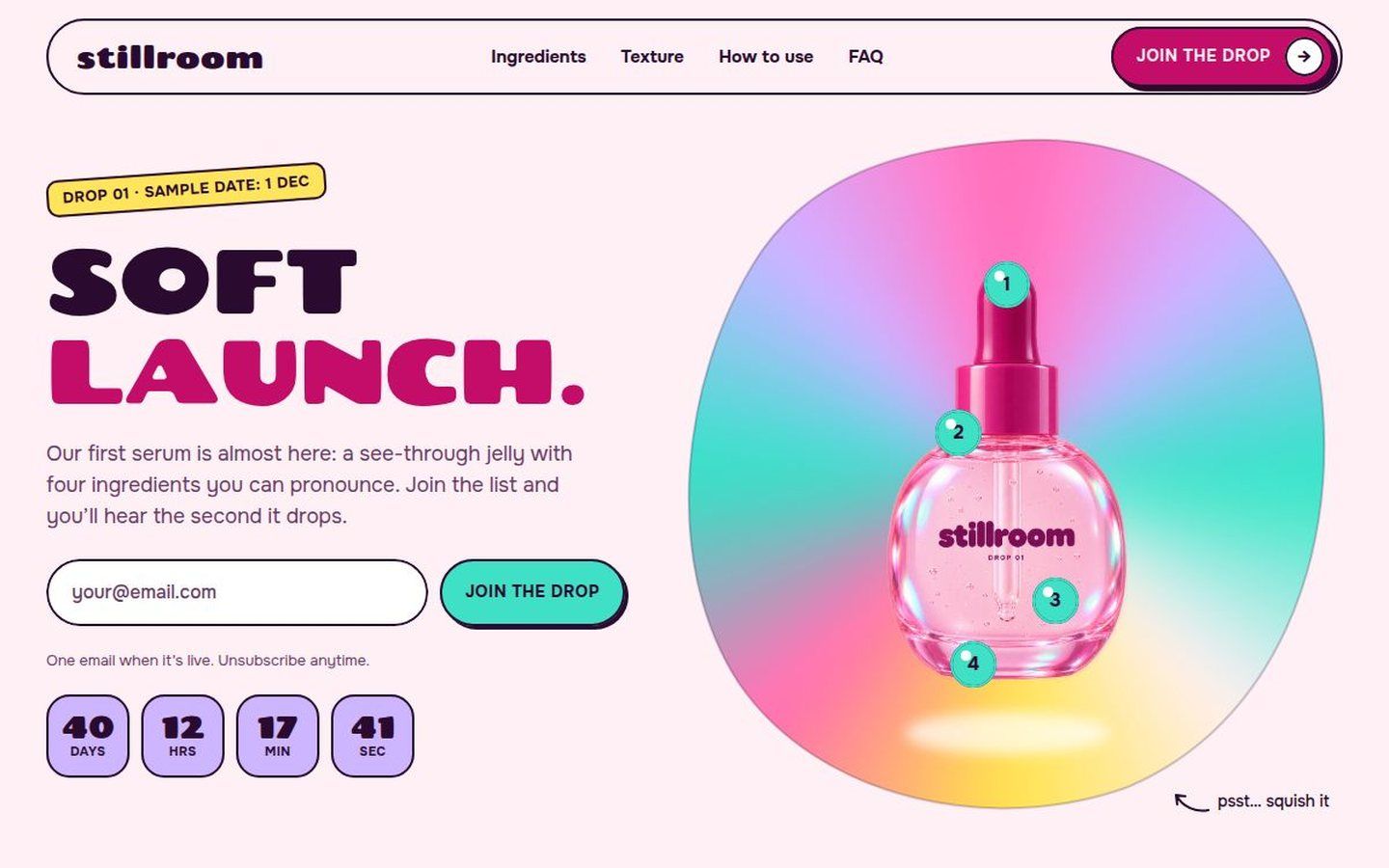
Stillroom “Soft launch.”
A launch page for a see-through jelly serum: a holographic blob you can squish, ingredient beads that explain the formula, a countdown and two launch-list forms.
- Concept site · fictional brand
- Squishable blob
- Countdown
- Launch-list forms
- Desktop · tablet · phone
-
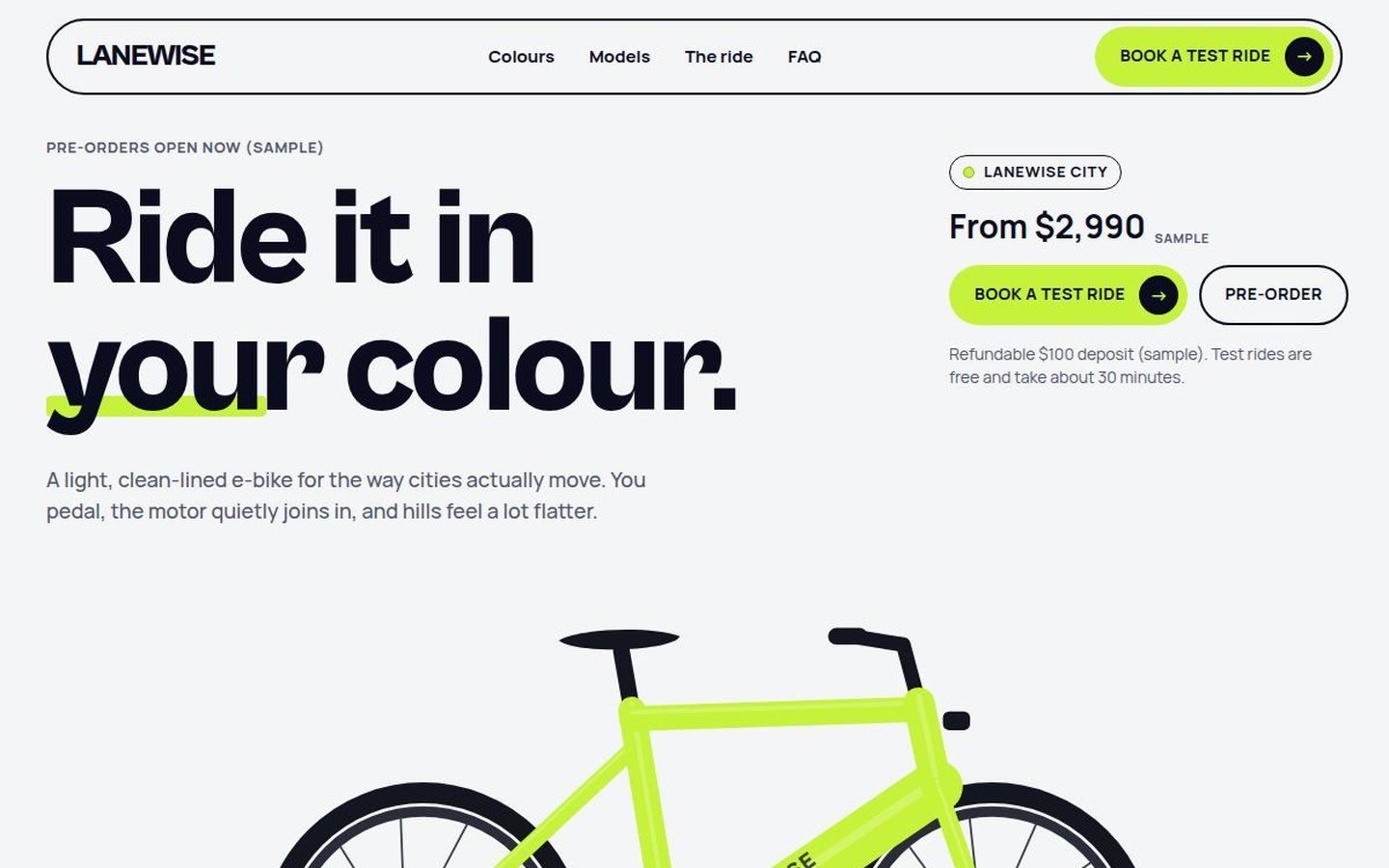
Lanewise “Ride it in your colour.”
An e-bike site where picking a colour repaints the whole page and the code-drawn bike, plus a model spec table and a test-ride booking form.
- Concept site · fictional brand
- Colour picker
- Code-drawn bike
- Spec table
- Booking form
-
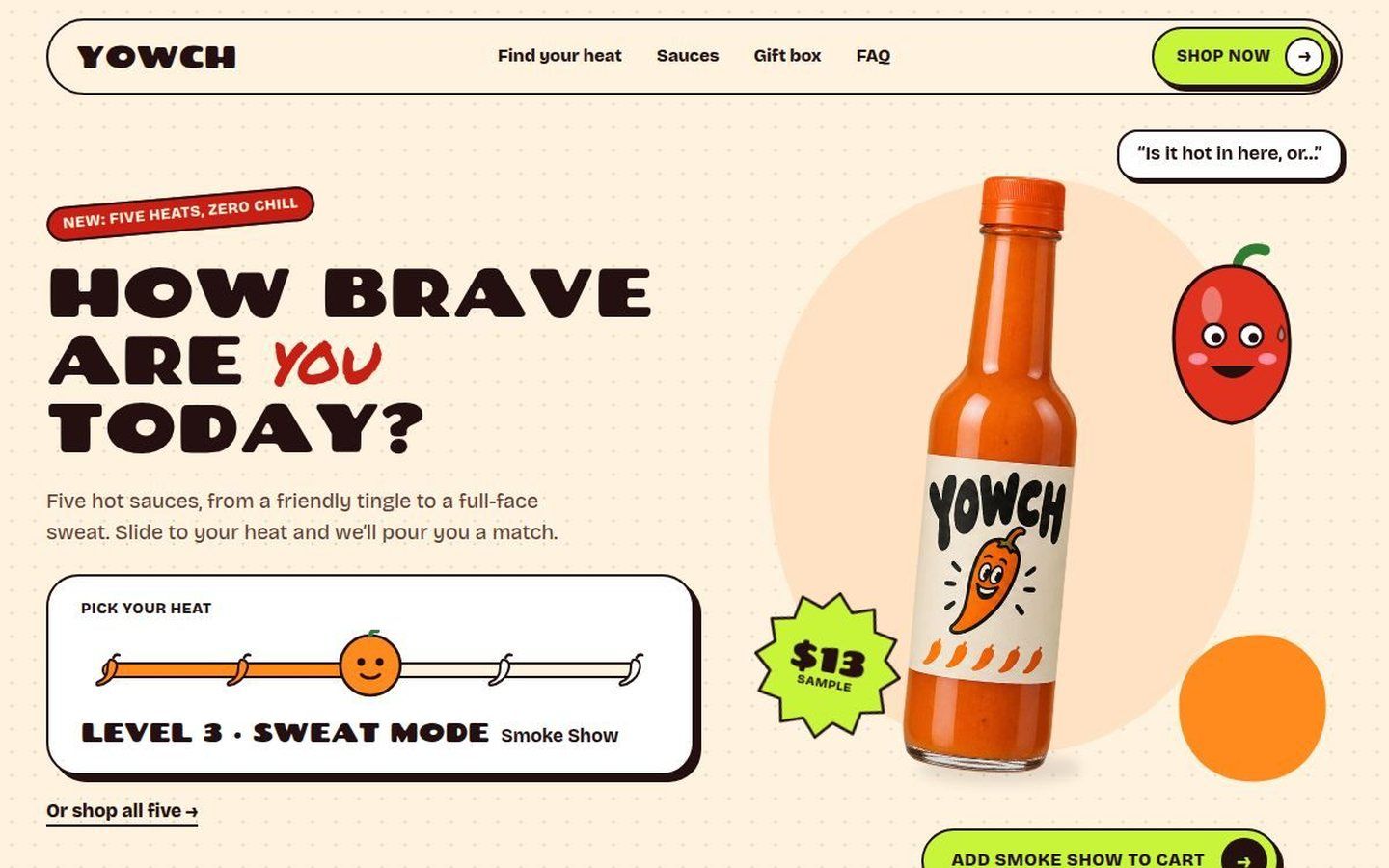
YOWCH “How brave are you today?”
A hot sauce shop where a heat slider picks your sauce, repaints the page and makes the chilli mascot react, then five sauces, a gift box bundle and add to cart.
- Concept site · fictional brand
- Heat slider
- Mascot states
- Shop range
- Bundle
-
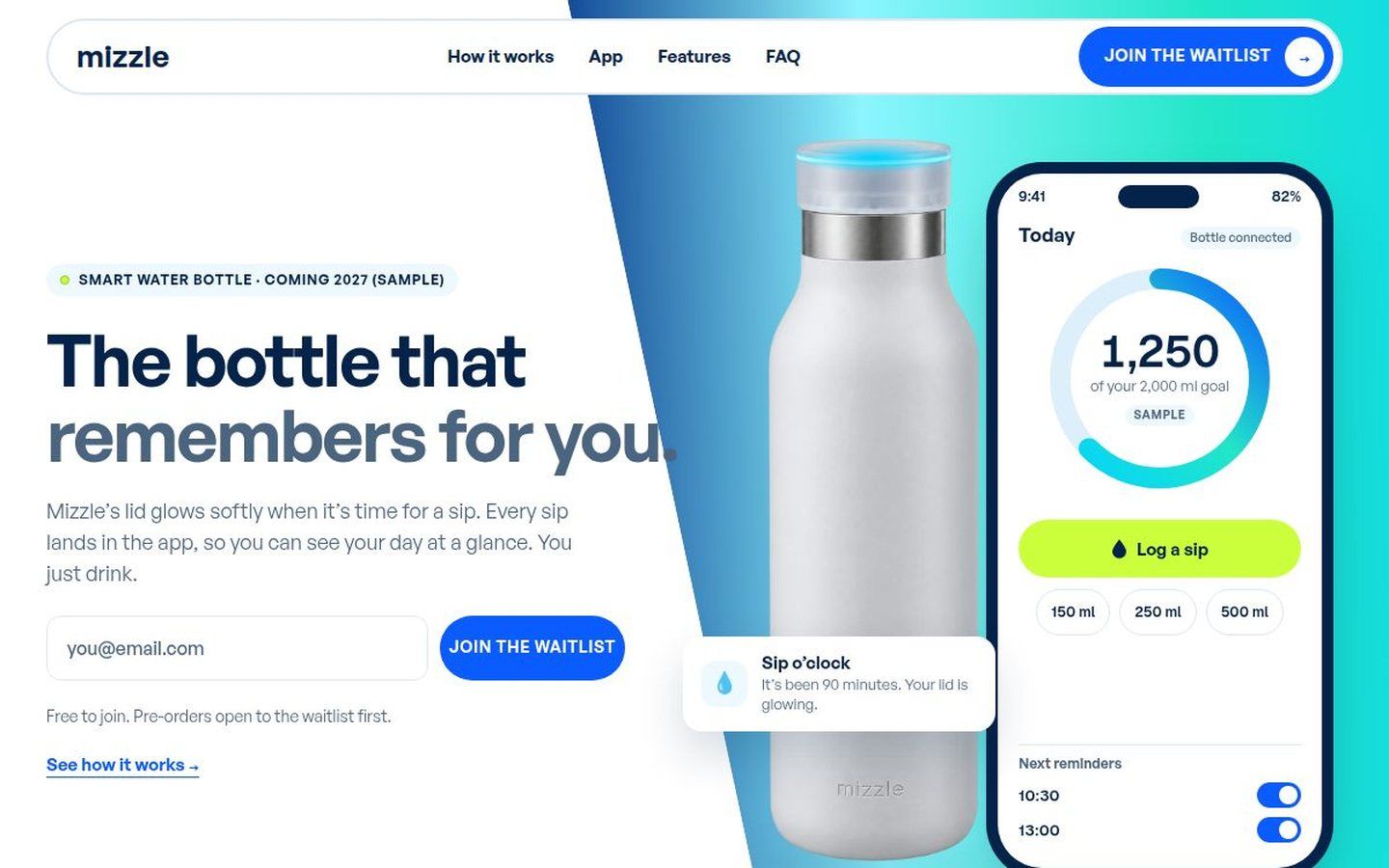
Mizzle “The bottle that remembers for you.”
A waitlist site for a smart water bottle with a working app demo: log a sip and the phone screen and the bottle cap both respond. Colourways, features and a waitlist band.
- Concept site · fictional brand
- App demo
- Wave gradient
- Colourways
- Waitlist forms
-
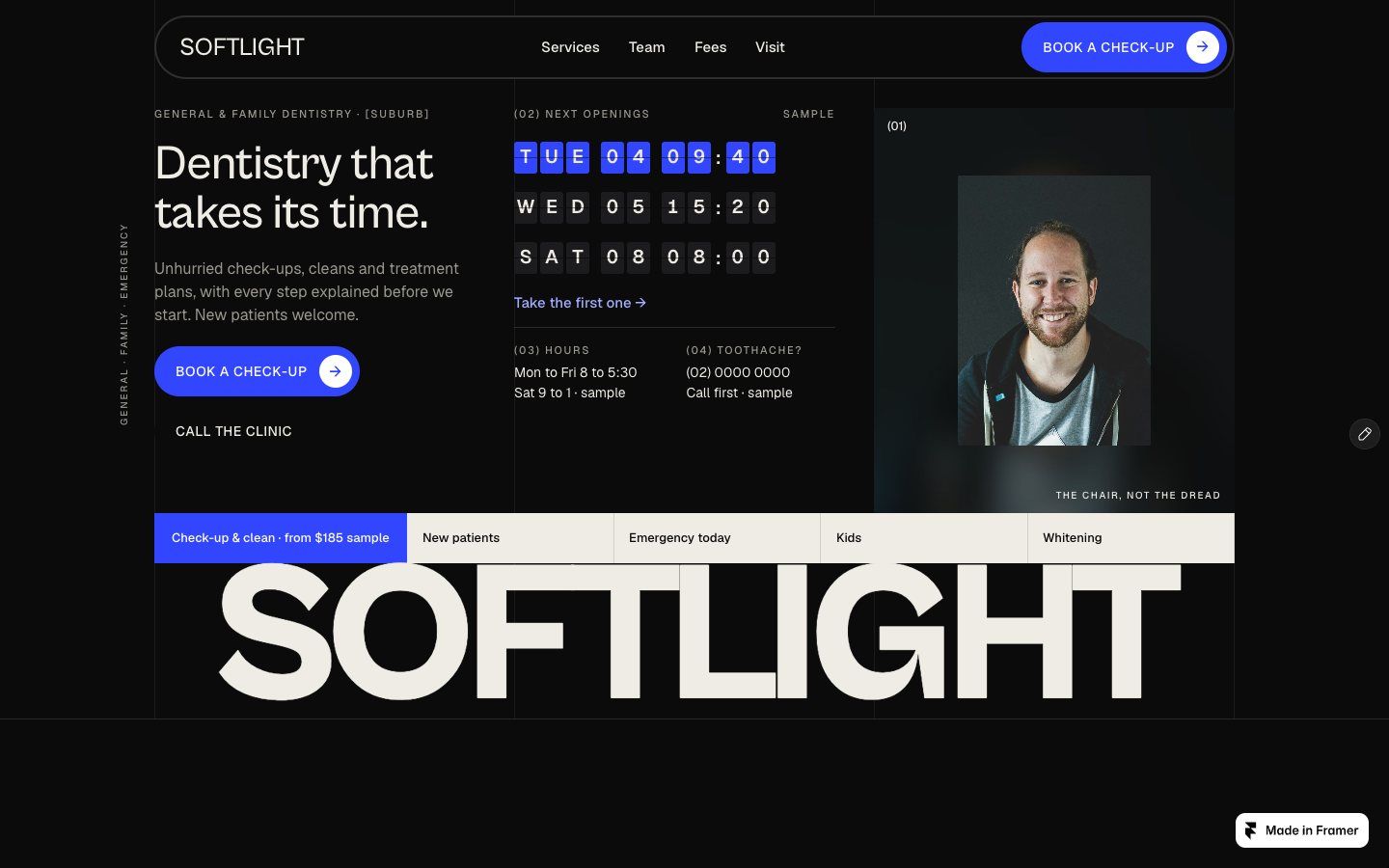
Softlight Dental “Dentistry that takes its time.”
A calm, editorial site for a family dental clinic: a flip board of the next free appointments that links straight to booking, services, a team section, a clear fees panel, emergency help and a booking form.
- Concept site · fictional brand
- Flip board
- Booking form
- Fees panel
- Desktop · tablet · phone
-
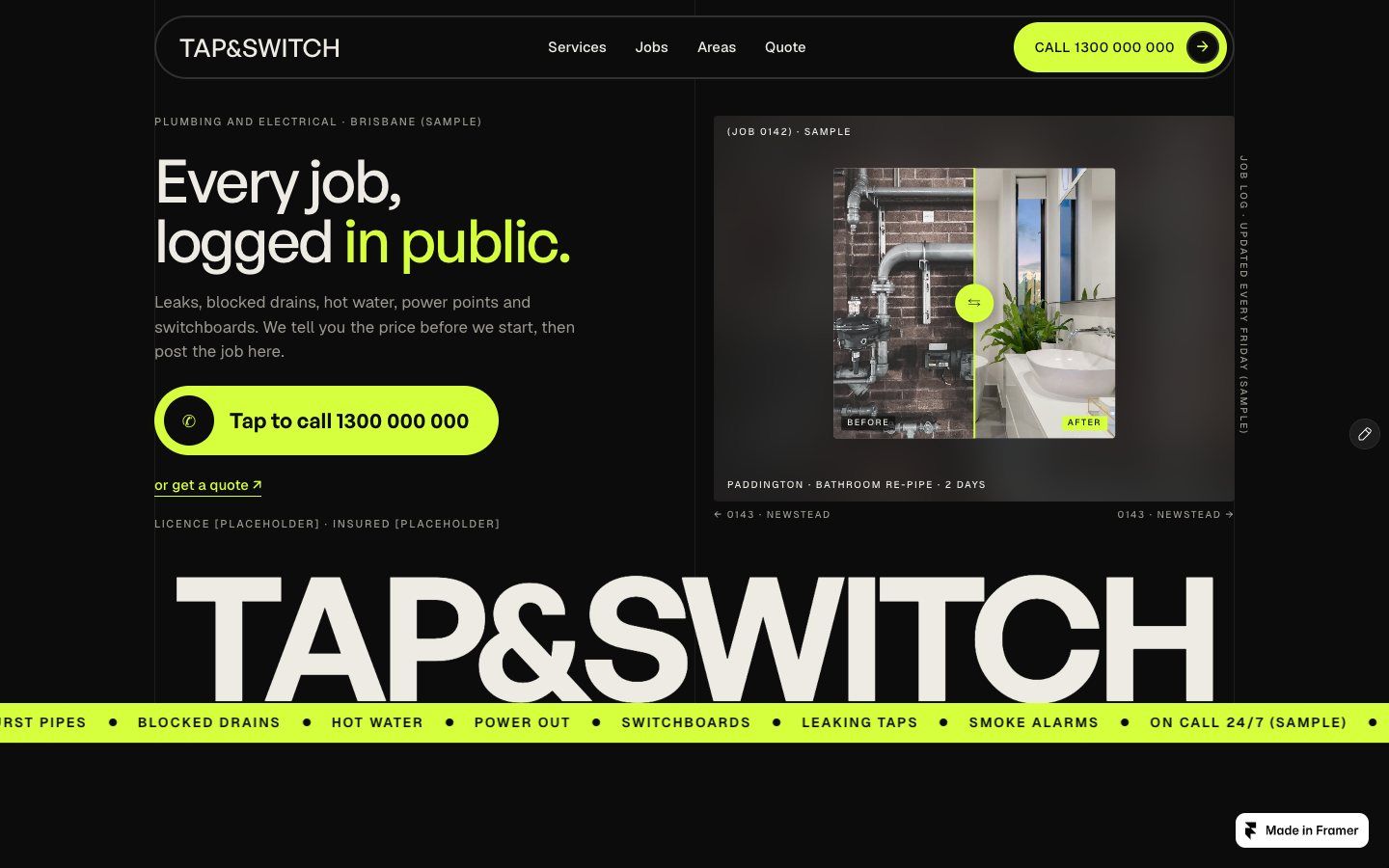
Tap & Switch “Every job, logged in public.”
A site for a combined plumber and electrician: a big tap-to-call button, a before-and-after slider of recent jobs you can drag, suburb chips for the service area, a licences panel and a quote form.
- Concept site · fictional brand
- Before/after slider
- Tap to call
- Service areas
- Quote form
Concept sites for fictional brands, built by our team. Not client work. Client case studies are on Work.
What we set up
Everything a Framer site needs to work on day one.
Landing pages and waitlists
One strong page that gets sign-ups: the offer, the proof and a form in the right places, including a pop-up when it helps.
Framer CMS and blogs
Collections for posts, tips or products, with list and article templates. Your team adds a post without touching the design.
Motion with a reason
Scroll effects, hover states and small moments that make the page feel alive, with reduced-motion settings respected.
Components you can reuse
Buttons, forms, cards and FAQ blocks built once as Framer components, so new pages stay on-brand.
SEO basics, done
Page titles, descriptions, social images and clean headings on every page, plus a privacy page when you collect emails.
Handover
The project sits in your Framer account. We show you how to edit text, images and CMS items, and publish to your domain.
Framer, Webflow or code?
We build in all three, so we’ll tell you which fits.
-
Framer
Best for design-led marketing sites, launch pages and waitlists that need to look great and go live fast. Editing is simple, and the CMS covers blogs and lists.
-
Webflow
Best when you want more structure: bigger CMS needs, a strict class system and detailed interactions, edited by a marketing team.
Webflow websites → -
Custom code
Best for apps, portals, bookings and anything a site builder can’t do, or when you want to own the code and avoid a monthly builder plan. We build these in Astro, Next.js and WordPress.
Custom websites →
How it works
From call to live, in five steps.
- 01Short callWhat the site must do, who it’s for, and what you already have. You get a price and a timeline upfront.
- 02DirectionA look and a page plan, agreed before we build, so there are no surprises later.
- 03BuildEvery page in Framer, designed for desktop, tablet and phone, with forms, motion and SEO basics in place.
- 04ReviewYou test it on a staging link and we make the changes.
- 05Publish and hand overWe connect your domain and hand over the Framer project, with a walkthrough of how to edit it.
Also built in Webflow
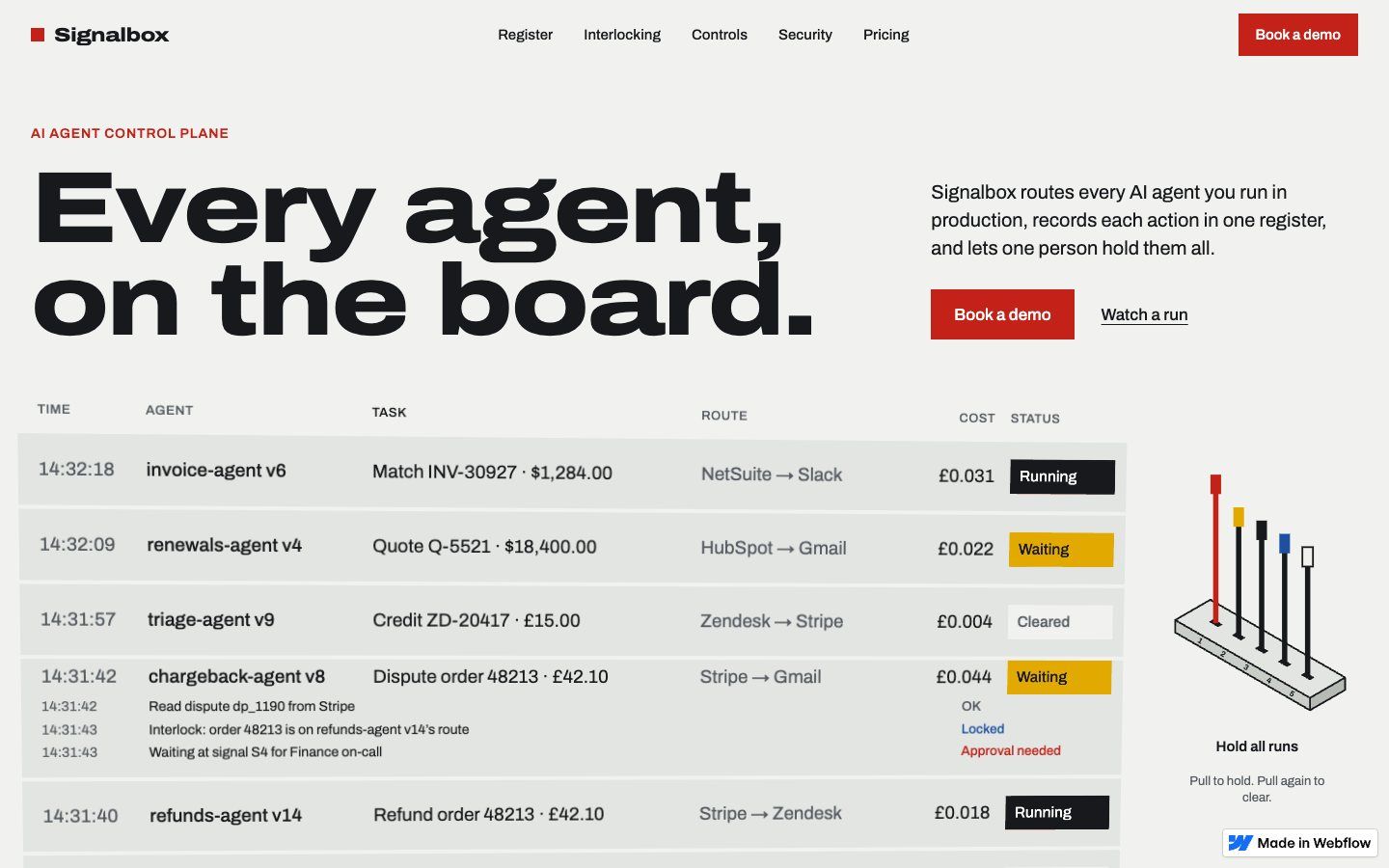
Prefer Webflow? We build there too.
Keep exploring
Before you decide, read these.
Guides from our blog
- The anatomy of a high-converting landing page What a launch page or waitlist needs above the fold.
- WordPress, a site builder or a custom build? How to pick the platform before you pay for it.
- Why your website must be built for phones first Most visitors meet your business on a phone.
Other ways to start
- A fixed-price 7-day website instead Fixed price from $499, live in 7 business days.
- Dotted Studios: a site built from the client’s own Figma Case 09 · Branding studio · Philippines. From a dead portfolio link to a live studio site.
- Our 3D concept sites, built in code Immersive 3D concept sites for fictional brands, built by our team.
FAQ
Questions about Framer.
01Do you build websites in Framer?
Yes. We design and build Framer websites: launch pages, waitlists, CMS blogs and shop pages. Every page is designed for desktop, tablet and phone, and the project is handed over in your own Framer account.
02How much does a Framer website cost?
We quote Framer projects after a short call, with the price upfront, because a one-page waitlist and a multi-page site with a blog are very different jobs. If you just need a fast, fixed-price site, our 7-day websites start at $499 (₱19,999 in the Philippines).
03Can I edit my Framer site myself?
Yes. Text, images and CMS items like blog posts can be changed in Framer’s editor without touching the design. We show you how at handover.
04Who pays for Framer hosting?
Framer charges its own site plan for a custom domain. It sits in your account and you pay Framer directly, so the site is always yours.
05Are the sites on this page client work?
No. They are concept sites for fictional brands, built by our team to show what we can do in Framer. Our client case studies are on the Work page.
Got a Framer site in mind?
Tell us what it needs to do. A real person replies within one business day, with a price and a timeline.